DDAP
Data-Driven Analytical Process
DDAP is our price trend indicator available on TradingView. It allows you to analyze the price, volatility, and momentum of any tradable security over multiple timeframes.
CORE COMPONENTS
MOMO
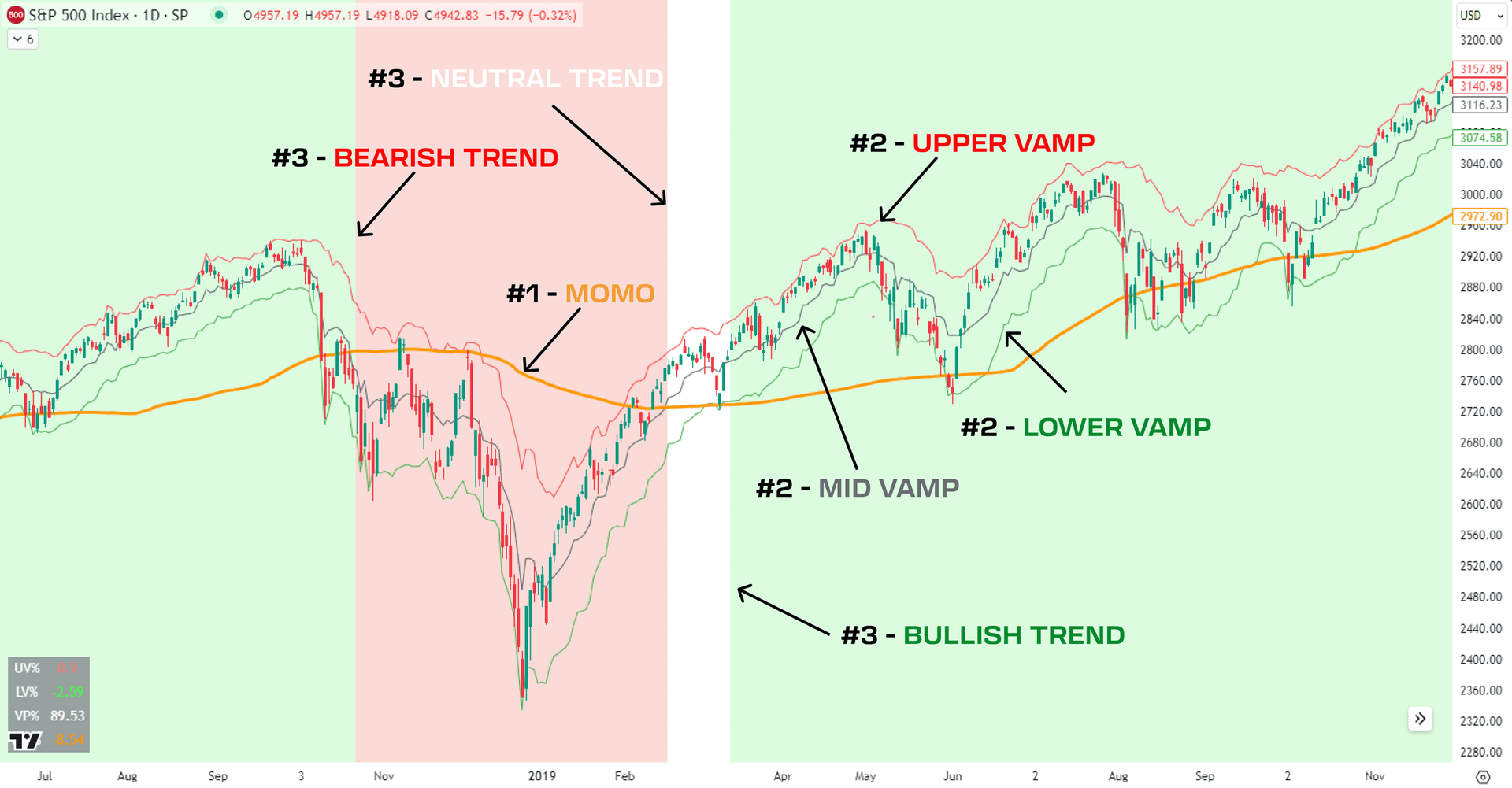
MomentumDisplayed by the orange line within DDAP. It is the visual pivot point we use to define trends. There are other indicators working under the surface, but this is the easiest one to visualize. Price must be above or below MOMO to indicate a trend. It is not a moving average.
VAMPs
Volatility Adjusted Market ProjectionsThe expected ranges where price can move over the next 1-2 weeks. Displayed by the red, gray, and green lines.
- -Upper VAMP: maximum of the price expectation range
- -Mid VAMP: midpoint between upper and lower VAMP
- -Lower VAMP: minimum of the price expectation range
TRENDS
Trend BackgroundDisplayed through a colored background: green for bullish, white/blank for neutral, red for bearish. Trends are compiled using MOMO along with additional proprietary indicators to reduce fake-outs.
SETUP
If you included your TradingView ID during the checkout process, please allow up to 12 hours for approval. If the script is unavailable after this time, resubmit your ID on the credential manager located on the member dashboard.
If you don't have a TradingView account, create one for free and submit your username in the member area.
SETTINGS
Additional features and components within DDAP settings can be accessed by clicking the gear icon next to the script name on the chart.
HEDGEHOGS & FISHES
These toggles display overbought or oversold conditions on your TradingView chart. The Exhaustion-Alerts channel in the members' Discord covers alerts for a range of assets when DDAP triggers a hedge or fish. The reversal target is generally mid VAMP.
The rate of alerts can be smoothed via HedgehogFishSmoothing under Inputs. Toggles can be disabled under the Style tab.


VAMP EXTENSIONS
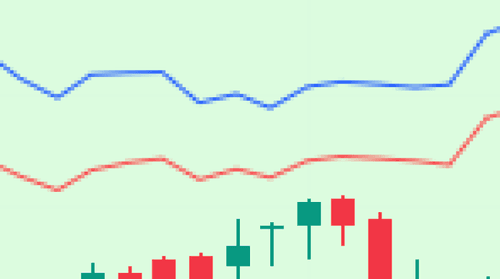
Widen the current VAMP range. For example, entering 1.25 in VAMP Extension Multiple widens the range by 25%. Displayed on charts via blue lines above and below upper and lower VAMP. Can be disabled via UV Ext and LV Ext boxes under the Style tab.

PIVOT POINTS
Only available on ES/MES & NQ/MNQ futures
Intraday ranges for both ES and NQ that are refreshed daily. Displayed on all timeframes 1 hour or less. Color can be changed through Intraday Momentum Levels under the Input tab, and can be disabled through the Lines box under the Styles tab.
DATA WINDOW
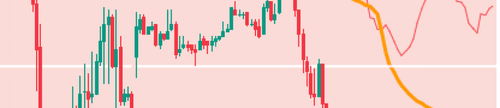
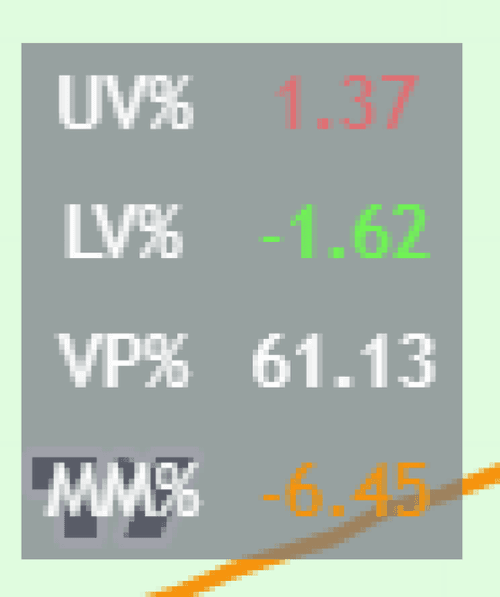
Displays percentage distance from Upper VAMP (UV), Lower VAMP (LV), and MOMO (MM) based on current price. The current percentile of price within the VAMP range is displayed via VP. Location can be changed under Table Location in the Input tab. Can be disabled via the Tables box under the Styles tab.

TREND PIVOT ESTIMATES
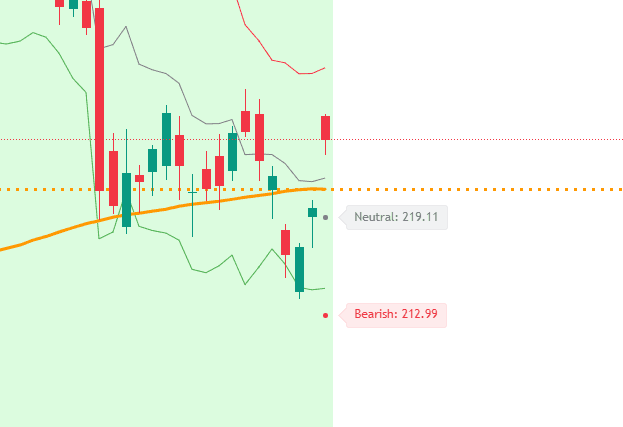
Colored circles and labels indicate the price levels that would need to be reached in the current trading session to change the trend. Only potential trend changes are displayed, so you won't see a pivot estimate for your current trend. When a neutral pivot estimate occurs at the same price level as a bullish or bearish pivot, the bullish/bearish pivot takes precedence.